

Online exams are now a normal part of education and professional certification. But one big question remains: how do you protect exam integrity when candidates are sitting at home, in hostels, or at their workplace? This is where ai remote proctoring comes in as a smart, scalable solution.
For Indian universities, edtech platforms, and corporate L&D teams, the pressure is high. You must prevent cheating, keep costs under control, and still offer a smooth experience on basic laptops and variable internet connections. A well-designed AI exam monitoring system can help you achieve all three.
This guide explains how ai remote proctoring works, what to check for before buying, and how to roll it out with confidence, especially if your learners are spread across India and other global locations.
What Is AI Remote Proctoring?
AI remote proctoring is a digital way to invigilate exams. Instead of a human supervisor watching every candidate, smart software monitors behaviour through the webcam, microphone, and screen.
In simple terms, it looks for patterns that suggest cheating. For example, frequent face movement away from the screen, multiple people in the frame, or switching to another browser tab. The system records the exam session and flags suspicious events for later review.
There are three common models of online proctoring solutions:
- Fully automated proctoring using AI-based exam invigilation without live humans.
- Live human proctoring where a person watches candidates in real time.
- Hybrid proctoring that uses AI to flag issues and humans to verify them.
Most institutions now prefer a hybrid approach. It gives the scale and speed of automation with the judgment of a trained proctor when needed.
How AI Auto Proctoring Works
AI auto proctoring uses technologies like computer vision and pattern recognition. Do not worry about the terms; think of it as software that can “notice” unusual activity much faster than a human eye.
Here is what typically happens during a secure online assessment:
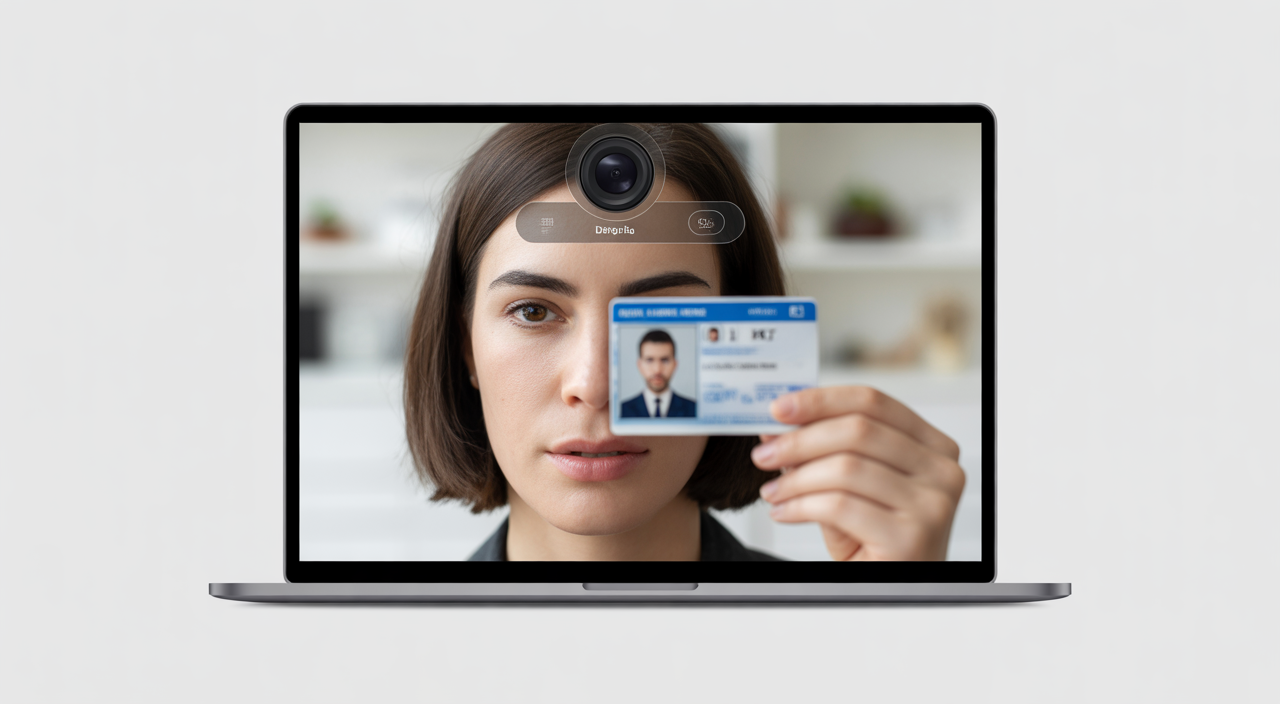
- Identity verification The candidate shows an ID card to the camera. The system checks that the face in the live video matches the ID photo.
- Environment scan Before the test starts, the candidate may be asked to slowly move the webcam around the room. This reduces the risk of hidden notes or extra devices.
- Live behaviour monitoring During the exam, the system tracks face position, eye movement, additional faces, and background noises. It can also detect if someone tries to open other websites or apps.
- Automatic flags If the software finds something unusual, it creates a “flag” with a time stamp and short video clip. Exam administrators can later review only these clips instead of watching the full recording.
For decision-makers, this means you can run hundreds or thousands of tests at once without hiring a large team of invigilators.
Key Benefits of AI Remote Proctoring
When you are evaluating AI proctoring tools, it helps to focus on concrete outcomes rather than technical buzzwords. Some of the strongest advantages are:
- High scalability You can support exam sessions across cities, time zones, and even countries without worrying about physical centres.
- Lower long-term cost Automated invigilation software reduces the need for full-time human proctors. For high-volume exams, this can lead to major savings over a few exam cycles.
- Consistent rule enforcement Software applies the same rules to everyone, every time. There is no risk of a “lenient” or “strict” invigilator.
- 24/7 availability Candidates can take exams at flexible times, which is very useful for working professionals, distance learners, and global cohorts.
- Detailed reports Remote exam integrity is easier to manage when you have dashboards that show how many attempts were flagged, what types of behaviour are most common, and which centres or locations need extra support.
For Indian investors and education leaders, this also creates a strong business case. Once the setup cost is recovered, each additional test becomes cheaper to conduct compared to traditional offline centres.
Data Privacy & Compliance: A Practical Blueprint
Whenever you monitor students or employees, privacy becomes a serious concern. Many regions have strict laws for data protection, similar to GDPR in Europe. Even if your main base is India, you may be testing candidates who live abroad and fall under different regulations.
To stay compliant and maintain trust, follow these guidelines:
- Be transparent Clearly explain what data you collect (video, audio, screen recording), how long you store it, and who can access it.
- Get clear consent Ask candidates to agree to the proctoring terms before they start the exam. This can be a simple on-screen consent form.
- Limit data retention Keep recordings only as long as required for result audits or legal reasons, then delete them securely.
- Secure communication channels Use official email domains and verified contact numbers. Avoid using your official service email as a WhatsApp ID, as it can increase spam risk and look unprofessional to learners.
Well-designed proctoring software will already include strong data encryption, access controls, and audit trails. Make sure your vendor can explain these in plain language, not just with technical labels.
Implementation Best Practices
Buying a digital proctoring solution is only step one. Success depends on how smoothly you implement it across your learning platform and user base.
Focus on three key areas:
- LMS and SSO integration Check that the tool connects easily with your learning management system. Single sign-on makes life simpler for both admins and learners, as they use one login for everything.
- Tech readiness Share clear guidelines on device requirements, supported browsers, internet speed, and webcam quality. In many Indian cities and towns, bandwidth can vary, so allow a small buffer in time and avoid very heavy video streaming.
- Support and training Offer short video tutorials and FAQs for candidates. Train faculty and invigilators on how to read AI flags and when to escalate or ignore them.
If you want ideas on how other sectors structure such rollouts, you can look at this guide on using AI in enterprise applications for large teams.
Mini Case Study: A University’s Digital Exam Shift
Consider a mid-sized Indian university with 12,000 distance-learning students across multiple states. Earlier, they rented exam halls in major cities and hired local invigilators. Costs were rising every year, and many students still had to travel long distances.
After switching to a hybrid AI-based remote exam monitoring platform, they moved 70% of their assessments online within two semesters. Travel and centre rental costs dropped sharply. At the same time, flagged-cheating incidents were easier to review, because the exam cell could focus only on high-risk cases.
The best part for them was flexibility. Working professionals in metro cities and students in smaller towns could attempt exams from home, as long as they followed simple setup steps.
Choosing Your AI Proctoring Partner: 8-Point Checklist
Before you sign a contract, evaluate each remote exam proctoring platform against these points:
- Accuracy How well does it detect suspicious behaviour without too many false alarms?
- Reporting quality Are incident reports easy to read and export?
- Integration Does it connect smoothly with your current LMS or exam portal?
- Data privacy Does the provider follow strong security standards and clear retention policies?
- Candidate experience Is the interface simple, mobile-friendly where allowed, and light on bandwidth?
- Customer support Do you get timely help during peak exam days and weekends?
- Flexible pricing Can you start with a smaller package, then scale as adoption grows?
- Proven success Are there case studies from similar institutions or corporate training teams?
You can also study how other security-focused tools handle reliability and risk management, such as this resource on maintaining video surveillance systems for maximum protection.
FAQs on AI Remote Proctoring
Q1. Will AI remote proctoring replace human invigilators completely?
In most cases, no. The best results come from hybrid models, where AI handles monitoring at scale and humans review flagged incidents. This reduces manual workload while keeping human judgment in the final decision.
Q2. How can we reduce stress for students taking AI-proctored exams?
Share clear instructions early, run a short “mock test” on the platform, and explain what the software monitors. When candidates know what to expect and can test their device in advance, their anxiety levels drop and technical issues reduce.
Q3. Is AI proctoring suitable for high-stakes exams in India?
Yes, provided you follow strong identity checks, have robust data protection, and combine AI with human review for disputes. Many institutions use it successfully for entrance tests, professional certifications, and internal assessments.
Q4. What internet speed is recommended for smooth AI proctoring?
Most providers suggest at least 1.5 to 2 Mbps stable upload and download speed. For regions with lower bandwidth, encourage candidates to connect through wired or strong Wi-Fi and to close other heavy apps during the exam.